The Complete Guide to Osmi Minutes:
How do you get them for free, and where's the best place to buy? Seven little tricks, all in one read
AI has gotten really good lately, and a lot of transcription and AI meeting-notes apps have popped up. Most of them want a monthly subscription before you can do anything.
Osmi is different. On the web version on a computer, a single audio or video file can run up to 12 hours. And instead of a monthly fee, Osmi runs on minute packs: no subscription to pay, and you still get high-quality AI meeting notes. It's great for interviews, lectures, doctor visits, a lawyer talking through a case with a client, or a sales rep meeting a customer.
Haven't tried it yet? Sign in to Osmi and try one recording →
This post is all about Osmi minutes: how to get the most of them for the least money. Here's what you'll learn: the kinds of minutes you can have, how Osmi spends them, how to earn free ones, and the cheapest way to buy.
Tip 1: Two kinds of minutes: gifted ones expire, bought ones never do
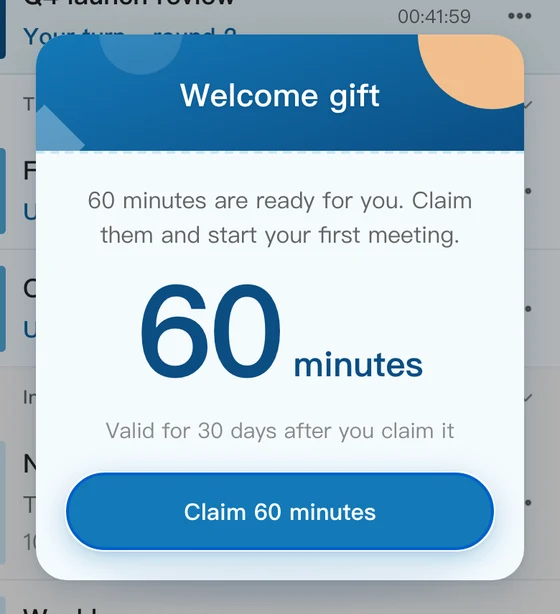
Gifted minutes come in two ways. The first is the welcome gift. The first time you log in with a new account, a “Welcome gift” letter pops up on the home screen. Tap “Claim 60 minutes” and they land in your balance right away. Heads up: that gift is good for 30 days, then it expires.
The second way is inviting friends. When a coworker, classmate or friend signs up with your link and finishes their first session (even a one-minute test counts), you get 30 minutes. These last a lot longer, a full 90 days. Both of you get a gift letter, and there's no cap on how many people you can invite.
The other kind is the minutes you buy yourself. Those never expire. No subscription, and nothing that auto-charges you later.
One more thing: it's the same account everywhere. Log in on the web, iPhone or Android and your minutes and your history all follow you.
Tip 2: Osmi spends the minutes that expire soonest first
Whenever Osmi uses your balance, it uses the gifted minutes closest to expiring first, and your own purchased minutes come last. So you never waste a gift by accident. At 14, 7 and 3 days before gifted minutes run out, Osmi sends you a reminder in the app and by email, so you can use them in time.
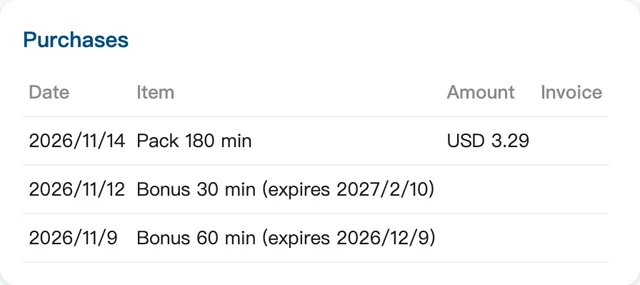
Want to see exactly what you've got? Tap the Osmi logo at the top of the screen to open “Account”, then look at “Purchases”. Every batch of minutes that came in is listed there. The gifted ones are marked “Bonus” with the expiration date right next to them.
Tip 3: You pay by recording length, and failures are refunded in full
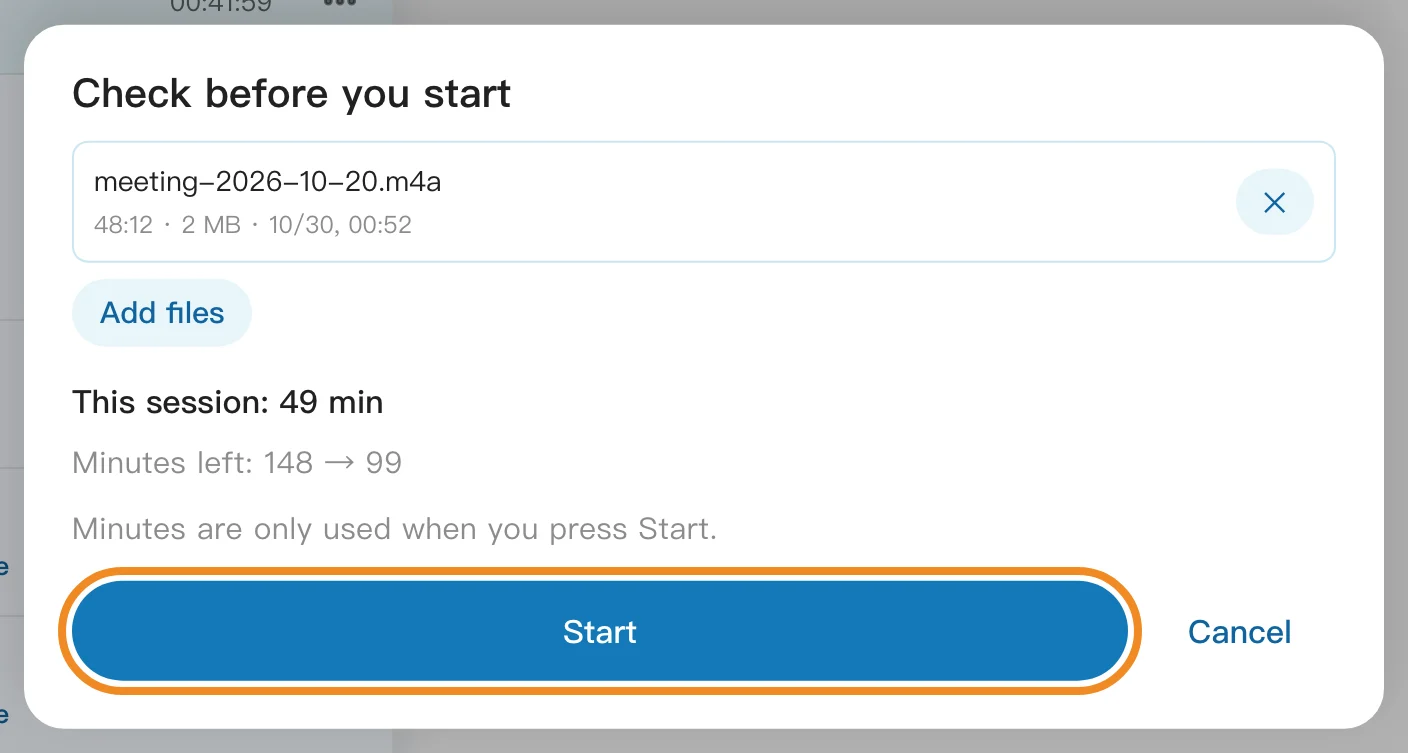
Minutes are based on the length of your recording. Any leftover time of more than 20 seconds counts as one more minute. Before anything starts, Osmi shows you “Check before you start”: how many minutes this session will use and how many you'll have left afterward, so there are no surprises.
If the transcript fails before it's delivered, or the file can't be read, every minute goes back to you. Cancel within 2 minutes of starting the transcription and you aren't charged either. And once the transcript is in your hands, cleaning up, adjusting and rewriting your notes cost nothing extra. Rework them as many times as you like.
Tip 4: Invite friends and you each get 30 free minutes
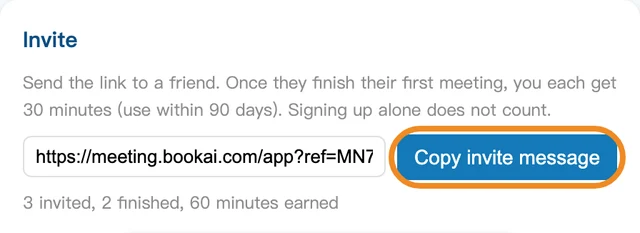
Tap the Osmi logo to open “Account”, find “Invite”, and hit “Copy invite message”. That copies a ready-made message together with your personal link. Paste it wherever you chat, tweak it a little so it sounds like you, and send it off.
When your friend signs up through your link and finishes their first session, you both get a gift letter and 30 minutes each, good for 90 days. Under “Invite” in your account, you'll see how many people you've invited and how many minutes you've earned.
Tip 5: Two easy ways to spread the word: the invite card and Milestones
First way: in your account, under “Invite”, tap “Share” and pick how you want to send it. The message goes out together with a nice invite card image. If you'd rather send plain text, tap “Copy invite message” instead. On a computer, the invite card image has to be downloaded separately, and sending just the text works fine too.
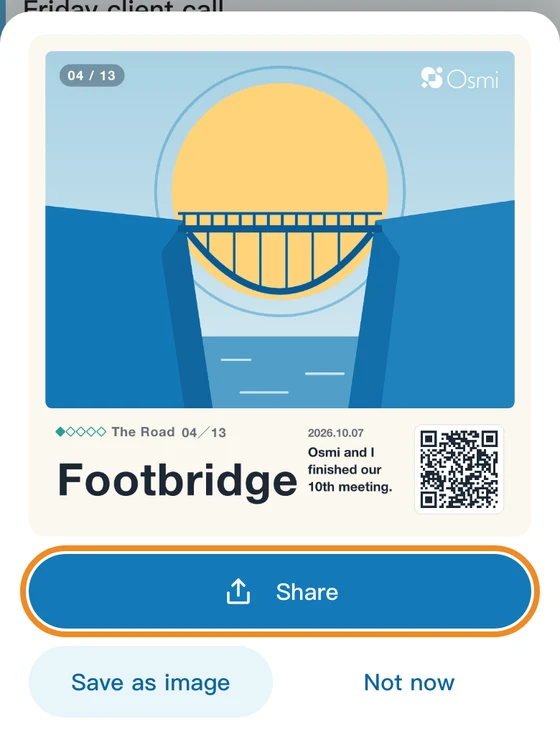
The second way is a fun one: “Milestones”. When you finish your first session, or hit a certain number of sessions or hours, Osmi pops up a cute milestone card that celebrates your progress. You can save it to your collection, or tap “Share” and post it to your socials. The card's link carries your invite, so when a friend signs up from it and finishes their first session, you each get 30 minutes.
Tip 6: Buy on any of the three platforms, and use the minutes on all of them
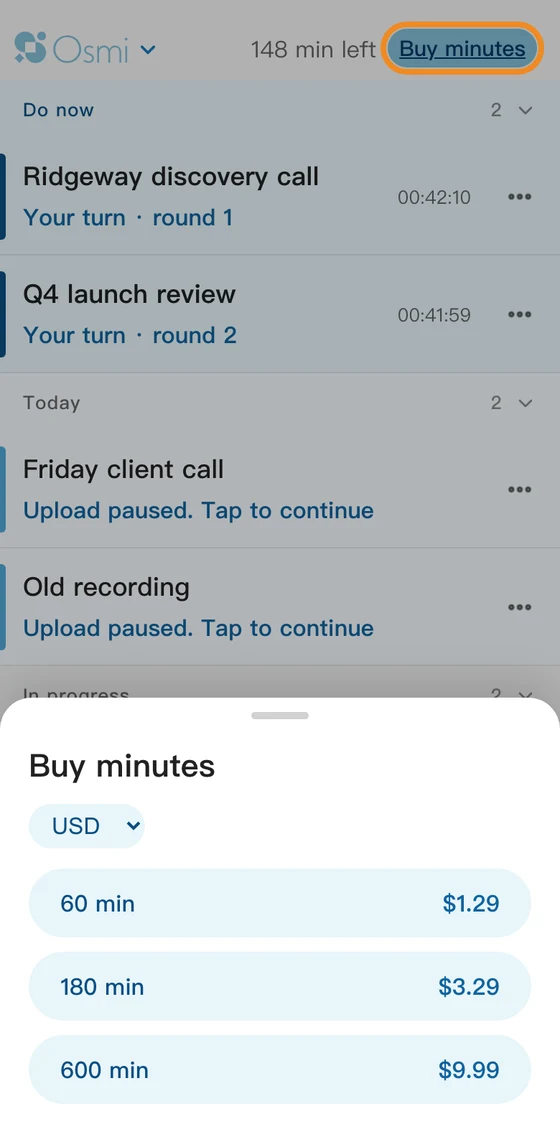
Right next to the Osmi logo, tap “Buy minutes” and choose 60, 180 or 600 minutes. On the web you pay by credit card. In the Osmi app on iPhone or Android, you can buy right there, and checkout goes through the App Store or Google Play. Either way the minutes land in your account the moment you pay, and you can use them on the web, iPhone and Android.
Tip 7: The cheapest way: buy a pack on the web and save about 15%
Buying a minutes pack on the web is the cheapest of the three platforms. The bigger the pack, the lower the price per minute. Since bought minutes never expire, I really recommend that anyone who has a lot of meetings grabs the 600-minute pack in one go.
How do you get to the web version? Open Chrome or Safari on your computer or phone and go to osmi.bookai.com, then tap “Sign in” in the top-right corner. Once you're inside Osmi, you can buy right there, and you'll save about 15% or more compared to buying in the app. Web prices are in US dollars; the estimate in your local currency changes with the exchange rate.
No subscription, no auto-renew. Credit you buy never expires. Prices are in US dollars, with nothing added on top. If your card uses another currency, your bank converts the charge.
Tips
- If you're new, use the free 60 minutes on a real meeting first. If you like what you get, then buy.
- If your recording starts with a long wait for people to join or ends with chit-chat, trim that off before uploading. That way you don't spend minutes on dead air.
- If you don't have enough minutes, tapping “Start” won't begin anything or use any of your balance. Tap “Buy minutes” next to it, top up, and then start.
- The invite reward is for people brand new to Osmi, so your friend needs to sign up on their own phone or computer for it to count.