The complete guide to Osmi minutes:
how to get them free, where to buy them cheapest, and seven handy tips in one go
AI has got properly good in the last few years, and a whole crop of apps has sprung up that turn recordings into text or write up your meetings for you. Most of them, though, want a monthly subscription before you can do anything.
Osmi is different. On the web version on a computer, a single recording or video can run to 12 hours, the longest of any tool out there. And instead of a monthly fee it uses minute bundles, so there's nothing to pay each month and you still get top-quality AI meeting notes. It's brilliant for interviews, lectures, doctor's appointments, solicitors going through a case with a client, or sales reps visiting a customer.
Haven't tried it yet? Sign in to Osmi and try one session →
This guide is all about Osmi minutes: how to spend as little as possible and end up with as many as you can. By the end you'll know which kinds of minutes you have, how they get used up, how to bag free ones, and where to buy for less.
Tip 1: Two kinds of minutes: gifted ones expire, ones you buy never do
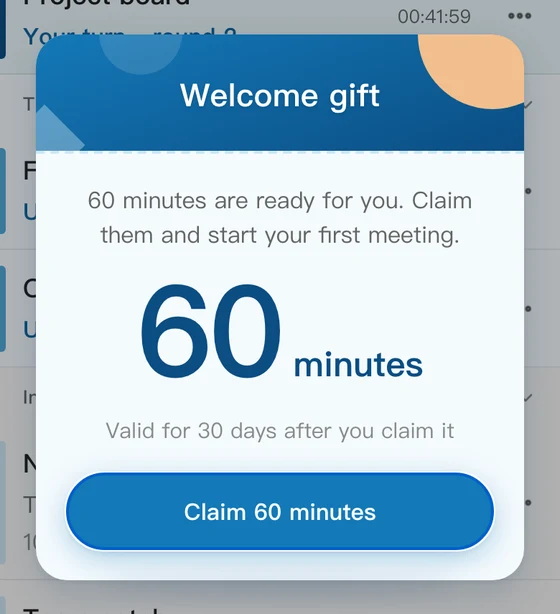
There are two kinds of minutes: gifted and bought. Gifted minutes come in two ways. The first is lovely and simple: sign in to a brand-new account for the first time and a ‘Welcome gift’ letter pops up on the home screen. Tap ‘Claim 60 minutes’ and they land in your account straight away. Do bear in mind they last 30 days from claiming, then they go back to zero!
The second way is inviting friends. When a mate, a colleague or someone on your course signs up through your link and finishes their first session (it can be as short as you like), you each get 30 minutes. These last a good bit longer: 90 days. And there's no limit on how many friends you can invite.
The other kind is the minutes you buy yourself. Those never expire. No subscription, no automatic payments, nothing quietly leaving your bank account.
Best of all, it all works across devices. Sign in with the same account on the web, iPhone or Android, and your minutes and your records are the same everywhere.
Tip 2: Osmi cleverly uses the minutes that are about to run out first
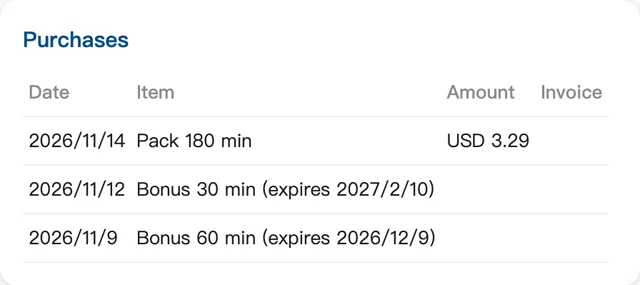
Whenever Osmi takes minutes from your balance, it uses the gifted ones closest to expiring first, and the ones you paid for go last. So you never lose out by accident. At 14, 7 and 3 days before gifted minutes run out, Osmi nudges you with a notification in the app and an email, so you can use them in time.
Want to see exactly where everything stands? Tap the Osmi logo at the top of the screen to open ‘Account’, then look under ‘Purchases’. Every bit of credit that has come in is listed there, and the gifted ones are marked ‘Bonus’ with their expiry date alongside.
Tip 3: You pay by the length of the recording, and failures are refunded in full
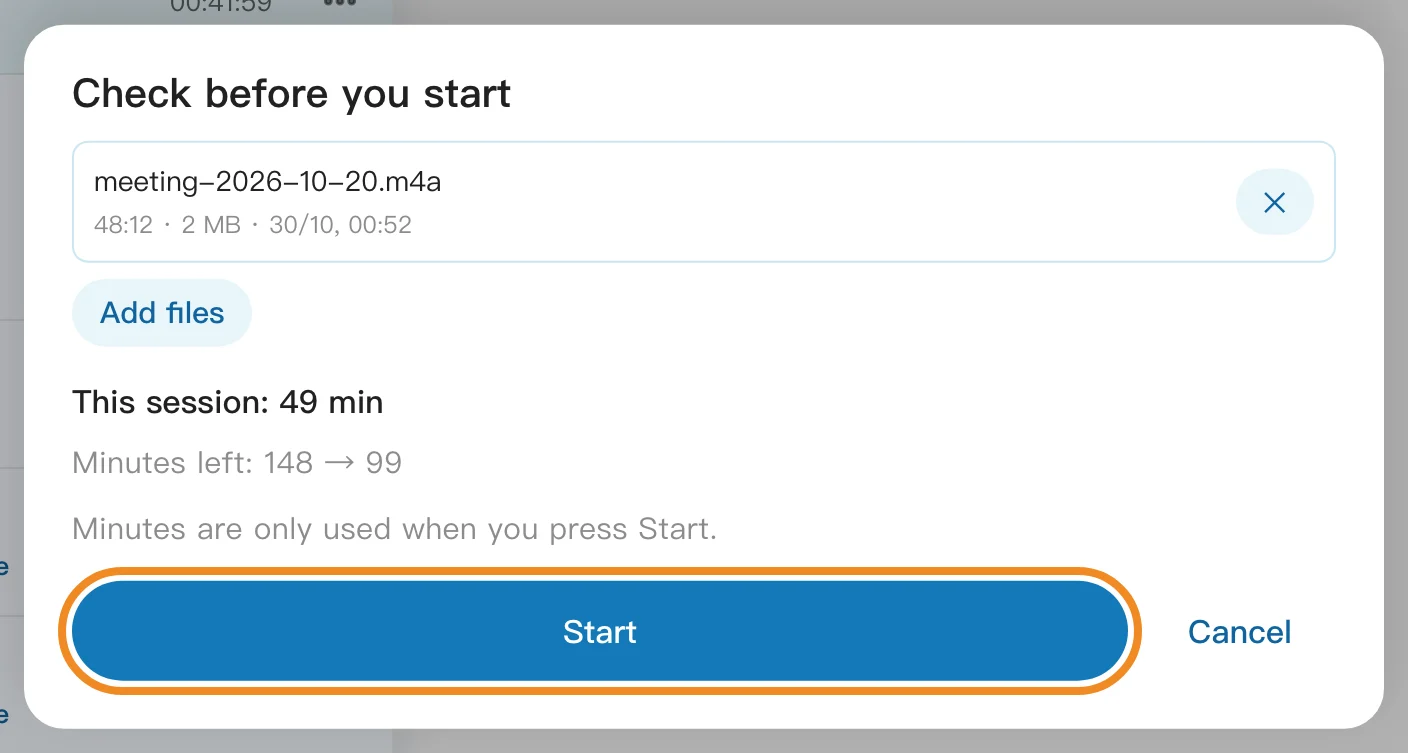
Minutes are charged by the length of your recording or video, in whole minutes. If there are more than 20 seconds left over, it counts as one more minute. Before anything starts, Osmi shows you a screen called ‘Check before you start’ telling you how many minutes this session will use and how many you'll have left afterwards, so there are no surprises.
If it fails before your transcript is delivered, or the file can't be read, every minute comes back to you. Cancel within 2 minutes of the transcription starting and you won't be charged either. And once the transcript is in your hands, tidying up your notes, tweaking them and rewriting them won't cost you a single extra minute.
Tip 4: Invite your friends to Osmi and you each get 30 free minutes
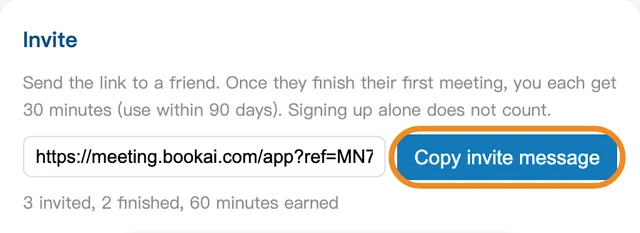
Tap the Osmi logo at the top of the screen to open ‘Account’, find ‘Invite’ and press ‘Copy invite message’. Osmi copies the message and your personal link together. Paste it wherever you like, tweak it a little, and send it off to your friends!
When a friend signs up with your link and finishes their first session, you both get a gift letter and 30 minutes each, valid for 90 days. Back under ‘Invite’ in your account, you can see how many friends you've invited and how much you've earned.
Tip 5: Two ways to spread the word: the invite message and your milestones
In ‘Invite’ in your account, press ‘Share’ and pick how you'd like to send it. The message goes out together with a nice invite card image. If you'd rather keep it to plain text, press ‘Copy invite message’ instead, then paste it into whichever app you fancy and give it your own spin. On a computer, the invite card image has to be downloaded separately, and sending just the text works perfectly well too.
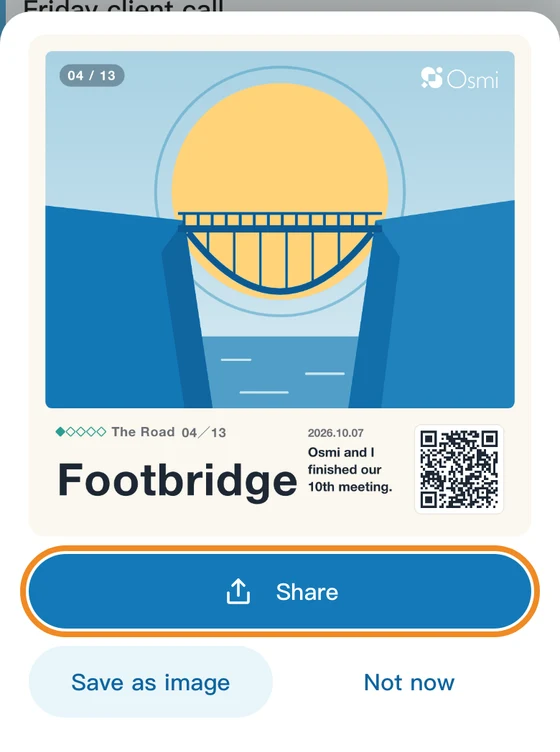
Another lovely touch is ‘Milestones’. When you finish your first session, or reach a certain number of sessions or hours, Osmi pops up a milestone card. It's a little reward for people who really make the most of recording. You can keep the card in your collection, or press ‘Share’ to post it on social media. The card's link carries your invite, so when a friend signs up from it and finishes their first session, you both get 30 minutes.
Tip 6: Buy on any of the three platforms, and use your minutes on all of them
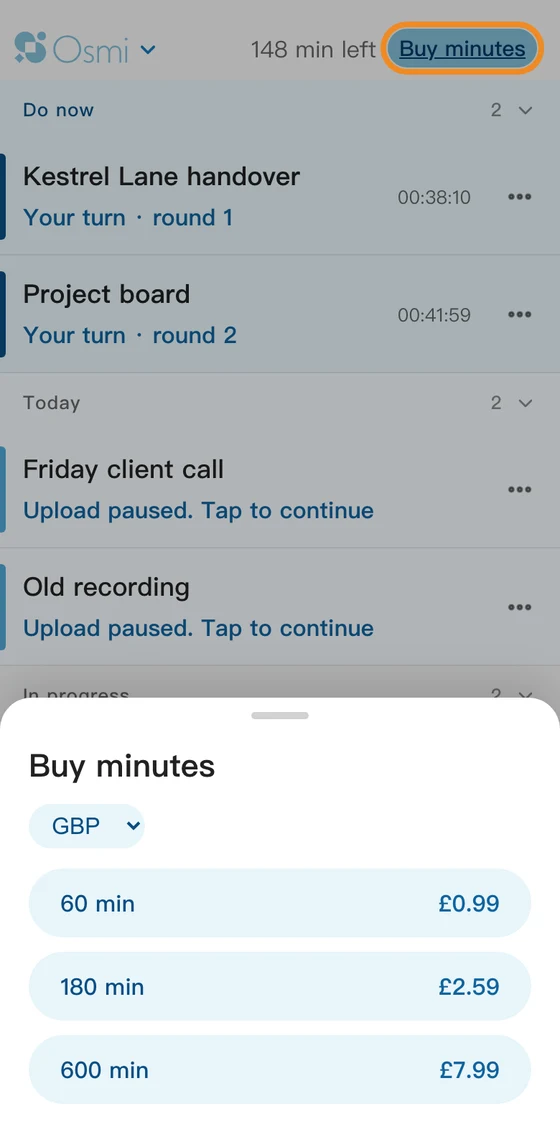
Press ‘Buy minutes’ to the right of the Osmi logo and choose 60, 180 or 600 minutes. On the web you pay by credit or debit card. Or you can buy right inside the Osmi app on iPhone or Android, where the App Store or Google Play takes the payment. Once you've paid, the minutes are saved to your account straight away, and you can use them on the web, iPhone and Android alike.
Tip 7: The cheapest way to buy: a bundle on the web, saving a third
Buying a bundle on the web is the cheapest of the three platforms, and the bigger the bundle, the less each minute costs. On the web in the UK the prices are £0.99 for 60 minutes, £2.59 for 180 and £7.99 for 600. In the iPhone and Android apps they are £0.99, £3.99 and £11.99. So the 600-minute bundle on the web saves you a third compared with buying it in the app. Since the minutes you buy never expire, if you have plenty of meetings, it's well worth grabbing 600 minutes in one go.
So how do you get to the web version? Open osmi.bookai.com in Chrome or Safari, on your computer or your phone, and press ‘Sign in’ at the top right. Once you're in Osmi, you can buy straight away.
Tips
- If you're new, use the free 60 minutes on a real meeting first. If you like it, then buy.
- Got a long gap at the start of a meeting while everyone arrives, or a chinwag at the end? Trim it before you upload and you'll save those minutes.
- If you don't have enough minutes, pressing ‘Start’ simply pauses and takes nothing from you. Press ‘Buy minutes’ beside it, top up, and then start.
- The invite reward is for friends who are brand new to Osmi, so ask them to sign up on their own phone or computer for it to count.