Interviews and dissertations
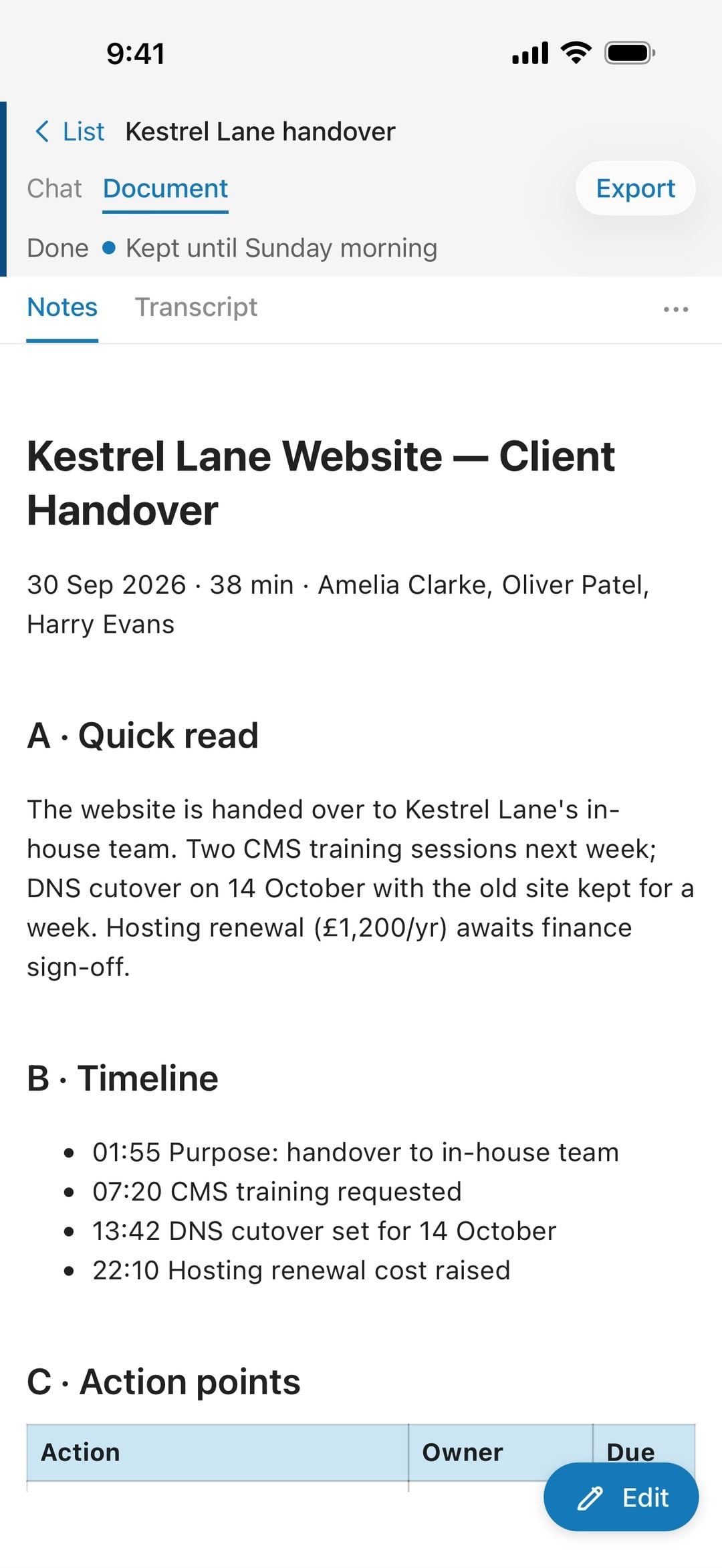
Long interviews split across several files become one session, with a transcript that names who is speaking.
Minutes and transcripts from any meeting or interview recording
Upload the recording of your meeting or interview, from your phone or dictaphone. Osmi writes the minutes in English: the actions, the decisions and the whole meeting blow by blow.
60 free minutes*3, valid for 30 days · No card · No subscription


At the 10-hour pack, an hour works out at US$1.00.
You're only charged once your transcript has been delivered*4.
If it fails before the transcript, all your credit comes back.
Credit you buy doesn't expire.
Gaps the AI couldn't transcribe aren't charged.
Cancel within 2 minutes of starting: no charge.
No subscription, no auto-renewal. Credit you buy never expires. Prices are in US dollars, tax included, with nothing added on top. If your card is in pounds, your bank converts the charge.
Sign in with Google or Apple, then upload an audio or video file: a phone recording, an online meeting, or a file from your dictaphone. Several files can be combined into one session.
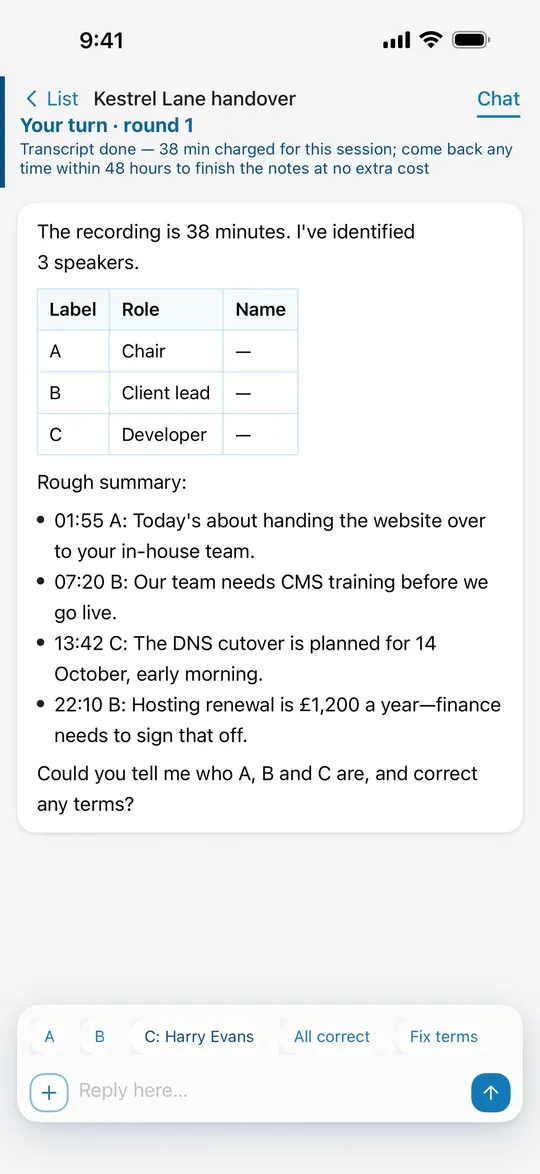
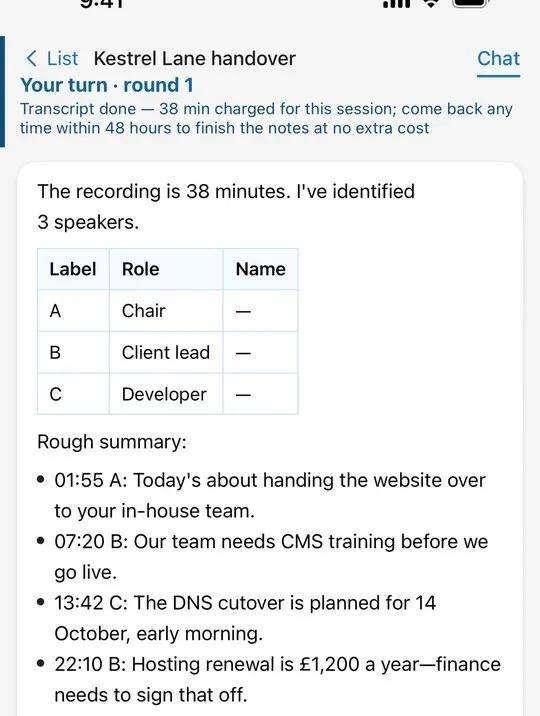
Name the speakers and check how names and terms are spelt. Correct a name once and Osmi remembers it next time.
Not quite right? Say what to change. Happy? Export.
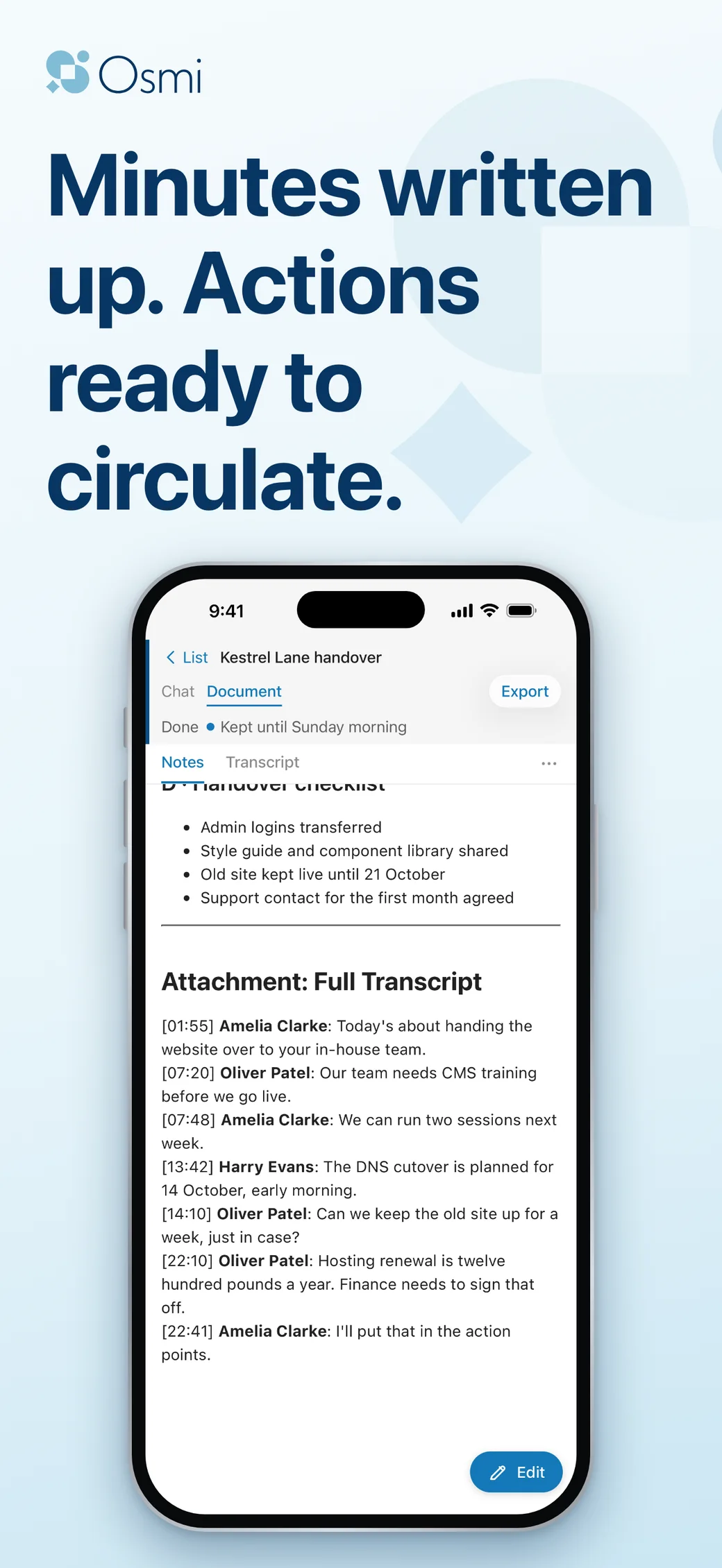
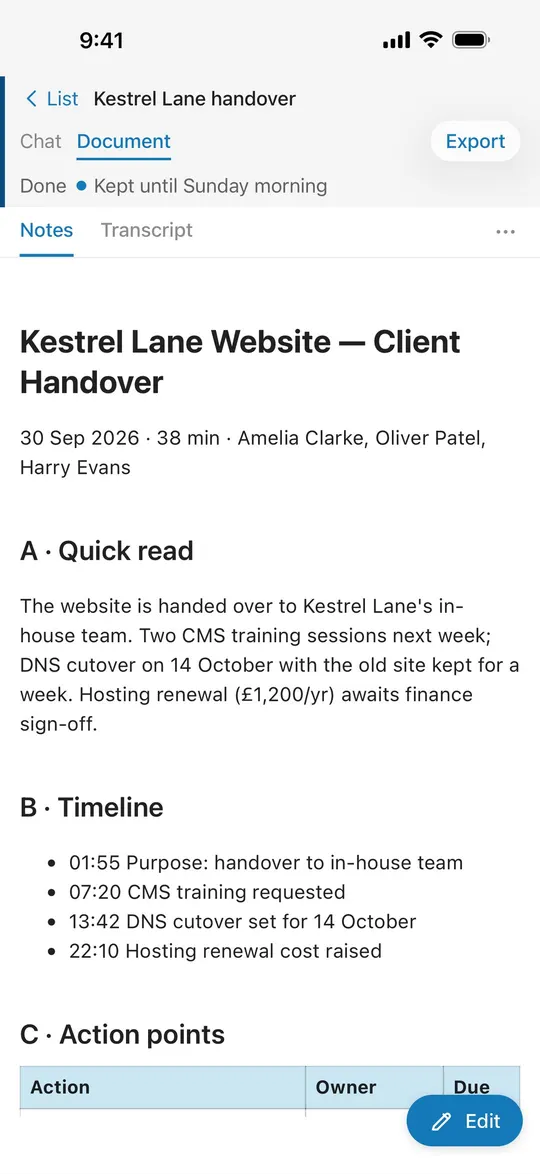
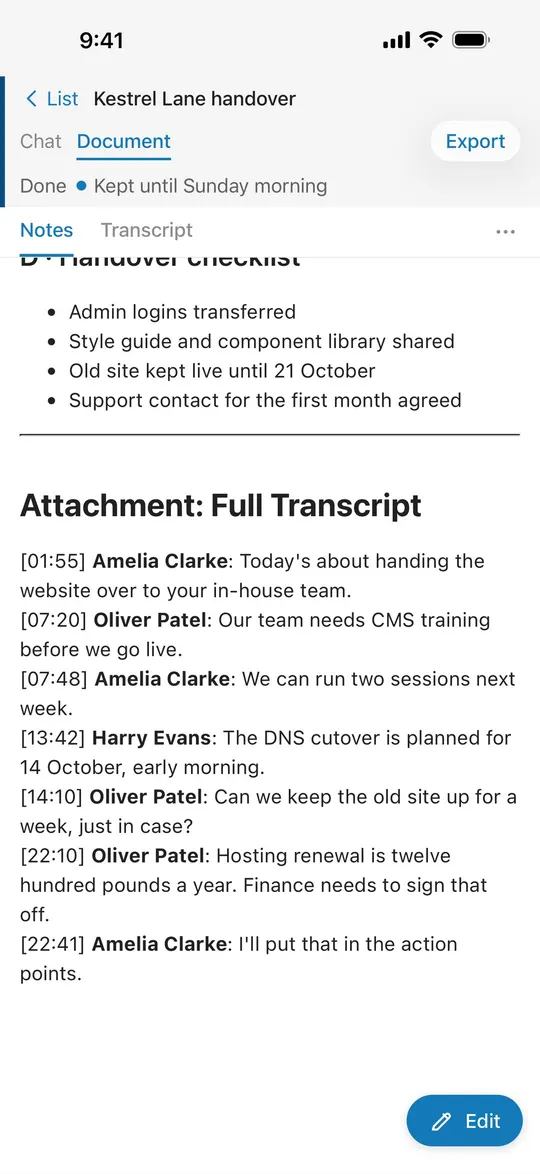
Key points and action points, with the full transcript attached. Export to PDF, Word and other common formats.
Correct the transcript yourself, or just ask: ‘put the action points in a table’.
Several sessions run at once in the cloud, and Osmi lets you know when it needs your answers.
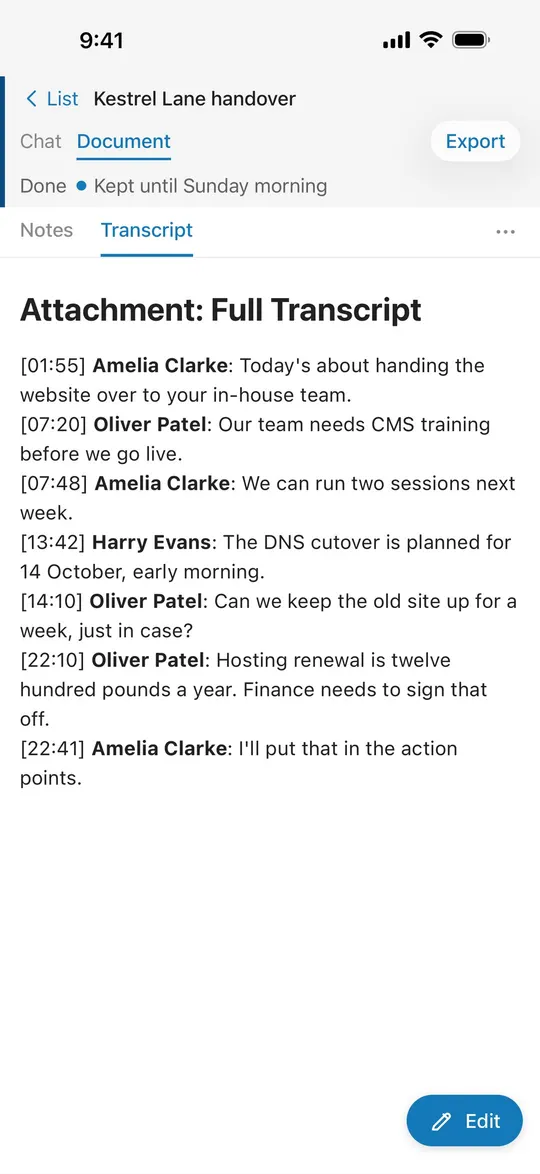
Osmi isn't only for meeting minutes. If the transcript is what you need, you get one, with every line labelled:
Your meetings are yours, and we're the ones who delete them: the recording once the whole meeting has been processed, the transcript and minutes on a set schedule. We never use your content to train AI.
Osmi only starts writing once you've answered, and it keeps notes*9. Next time you meet the same people, it may recognise them.
Key points, decisions and actions ready to send round, with the full transcript.
No subscription, nothing renews by itself, and credit you buy doesn't expire.
Record with whatever you trust, then bring the file. Dictaphone files are welcome.
Correct a name once and Osmi remembers it next time.
You choose English and Osmi doesn't guess. Transcribes 22 languages; mixed-language talk is kept as spoken.
Long meetings in one go, and files split across several recordings are joined into one.
Files from traditional dictaphones too, in common formats. DS2/DSS: convert to MP3 first.
One account on all three platforms. You get notified when it's done.
Supported formats →Minutes templates →Voice recorder users →Free audio recorder for your computer: AudioMemo →
Long interviews split across several files become one session, with a transcript that names who is speaking.
Decisions, who's taken what on and by when, ready to send round.

Leave your phone on the table and hand the file over afterwards.

Dictaphone files from the back of the drawer: MP3, WAV, M4A and other common formats can be uploaded as they are.
Meetings people use it for (tap one to see the result):
Use free AudioMemo (Mac now, Windows coming soon) to record your computer's audio in one click, then send it to Osmi in one more for a transcript and notes.
Play it back, correct every name, knock it into something people can actually read. A ninety-minute meeting can cost you the rest of the afternoon.
Reliable, but slow.
Quick, but it mishears names and terms, and you often spot it after you've hit send.
Pay for the gadget first, then upgrade once the free minutes run out. Your recordings end up on yet another device.
Ratings from inside the app, the App Store and Google Play, side by side. Comments appear exactly as written.
In the Osmi app
—
No ratings yet
App Store
—
No ratings yet
Google Play
—
No ratings yet
App Store and Google Play count only ratings that come with a written review.
Written comments will appear here as they come in.
Ratings can't be loaded right now. Please try again in a moment.
Comments are shown anonymously. The original words are never edited; comments in other languages come with an automatic translation you can switch back from.
Your phone transcribes and summarises. Osmi asks you about speakers and terms first, then writes proper minutes with decisions and actions, in the language you choose, and remembers what you taught it.
The quickest way to find out is to try it on your own recording. Sign in and use your 60 free minutes (valid for 30 days): no card needed, nothing to pay.
No. Record with whatever you already use (your phone, a dictaphone, a Zoom or Teams recording), then upload the file. Audio and video both work, and no bot joins your call.
About 4 minutes for an hour of recording. Osmi lets you know when it needs your answers and when the minutes are ready, so you can get on with something else.
It asks before it writes. Afterwards, edit the transcript or ask for changes.
No. There's no subscription and nothing renews by itself. You only pay when you top up, and the credit you buy never expires.
Yes. Tell everyone present before you start, and get their consent where it's needed. The rules differ from place to place, and whoever is recording is responsible for checking.
In the phone app (iOS and Android), one session can run up to 4 hours. On a computer, the web app (meeting.bookai.com) takes up to 12 hours: open it in your browser and upload the file, with nothing to install. The same account, credit and minutes work in both.
Why the difference: long recordings are large, and uploads from a phone are easily interrupted and use a lot of battery, so the app starts at 4 hours; a computer's connection is steadier. Over 4 hours, speaker identification is less reliable, so check the speaker names when it's done.
Attach the screenshot and send them a note
Found a rather good tool for turning recordings into transcripts. It's called Osmi. No subscription, no gadget to buy, you just record on your phone. Give it a go. New accounts get 60 free minutes, valid for 30 days, and you only buy more hours when you need them.
Want to try it yourself first? Try a meeting with your 60 free minutes (valid for 30 days)
Share this screenshot60 free minutes*3, valid for 30 days · No card · No subscription
Small print